
You can use the ti process command to enrich the incoming logs with the relevant data from the Threat Intelligence (TI) sources.
Syntax:
| process ti(<field_name_1>, ..., <field_name_n>, <mode_of_display>)
Example Query:
| process ti (source_address,destination_address,all)
The above query searches for ip_address in the enrichment source. If the value matches the value of the source_address or destination_address field, Threat Intelligence enriches the search result with other related data from the enrichment source. The all mode specified in the query means the search result has both the enriched and unenriched logs. If you do not specify the mode of display in a search query, Threat Intelligence works in the filter mode, which means only the enriched logs are displayed.
The following syntax searches for the fields configured in the Default alias and matches the field values with the values present in the corresponding columns of the enrichment source. The query provides no result unless an alias named Default exists.
Syntax:
| process ti(*)
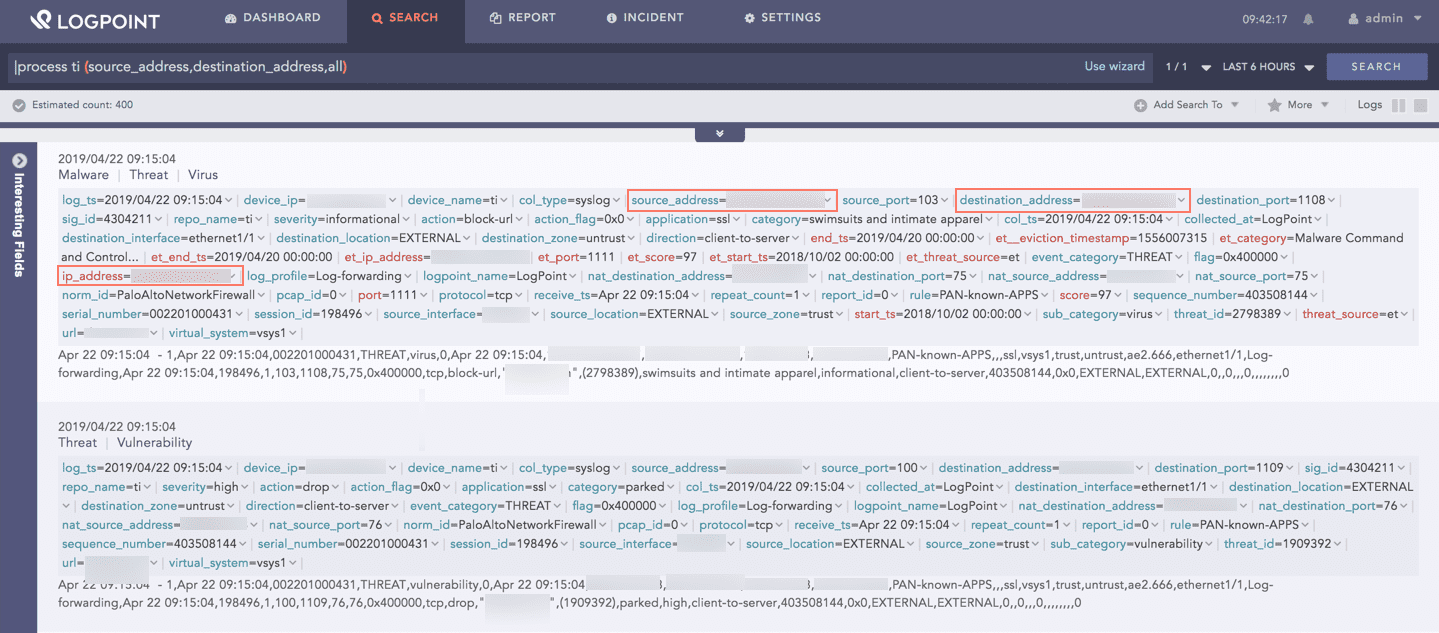
Log Sample
When configuring Threat Intelligence, if multiple sources are enabled and there is a case of more than one match for a search query in the Threat Intelligence database, the logs are enriched according to the following order:
Severity (the Threat Intelligence data with the highest severity)
Time (the latest Threat Intelligence data)
Lexicographical order (by category)